
Over the past few years, I’ve had conversations with colleagues about how I collate and act on information. Some call it a “digital brain”, others call it being good at taking notes. For me, it’s about being intentional with the information I store in a way that makes it actionable going forward.
Everything we do starts with an idea or an insight. It’s how we solve problems, drive action, and build things. Ideas shape our decisions, our creations, and our future. But an idea on its own is just the beginning.
The Power of Connection
Where it gets interesting is when we start connecting ideas. These connections give ideas context, meaning, and momentum. The same applies to the streams of information we receive daily: Teams messages, the Outlook inbox, pull request notifications on GitHub. It’s all signals of information that, to make actionable and consumable with intention, we need to connect together.
The human brain can form millions of new connections between neurons every second, each shaped by our unique lived experience, memories, and perspective. Estimates put the total number of synaptic connections in an adult human brain somewhere between 100 and 500 trillion. That’s an aspirational number for a digital notebook, but it tells us something important: we are wired for complexity, nuance, and connection.
I think this is where human creativity comes from. Our ability to connect information and see nuance is unique to us. In a world of generative AI and seemingly endless computing power, human creativity remains remarkable to me. It’s remarkable because it’s messy, evolving, ever-changing, and personal. It is unique to you, me, and everyone as an individual. The human brain isn’t here just to generate output. It’s there to process, to create nuance, and unique thought.
The Problem with Lists
There’s a friction when we try to map how the human brain works onto how we store things digitally. We love a list. We write lists of to-dos, lists of notes. Conversation history is presented as a list. We create playlists. Our inbox is a list. For completeness, we create lists of lists.
I’ve always been told software engineers are inherently lazy. We like to maximise the work we don’t have to do. We see that in the systems we use daily. Storing digital information as a list is a pragmatic compromise. It’s an easy way of storing, indexing, searching, traversing, and displaying information. But it’s not natural. It’s not how the human brain likes to think.
I started thinking about how to organise all the digital information in my life in a way that’s natural to how my brain consumes information. I’ve been refining and iterating on this ever since. Here are the principles I’ve distilled from that journey.
1. Graphs, not folders
My default view of information is a graph. I see how all my information connects: the people working on a project, the technologies involved, the subject matter experts with relevant expertise. Each node represents a piece of information: a meeting, notes, a person, a technology, a project.
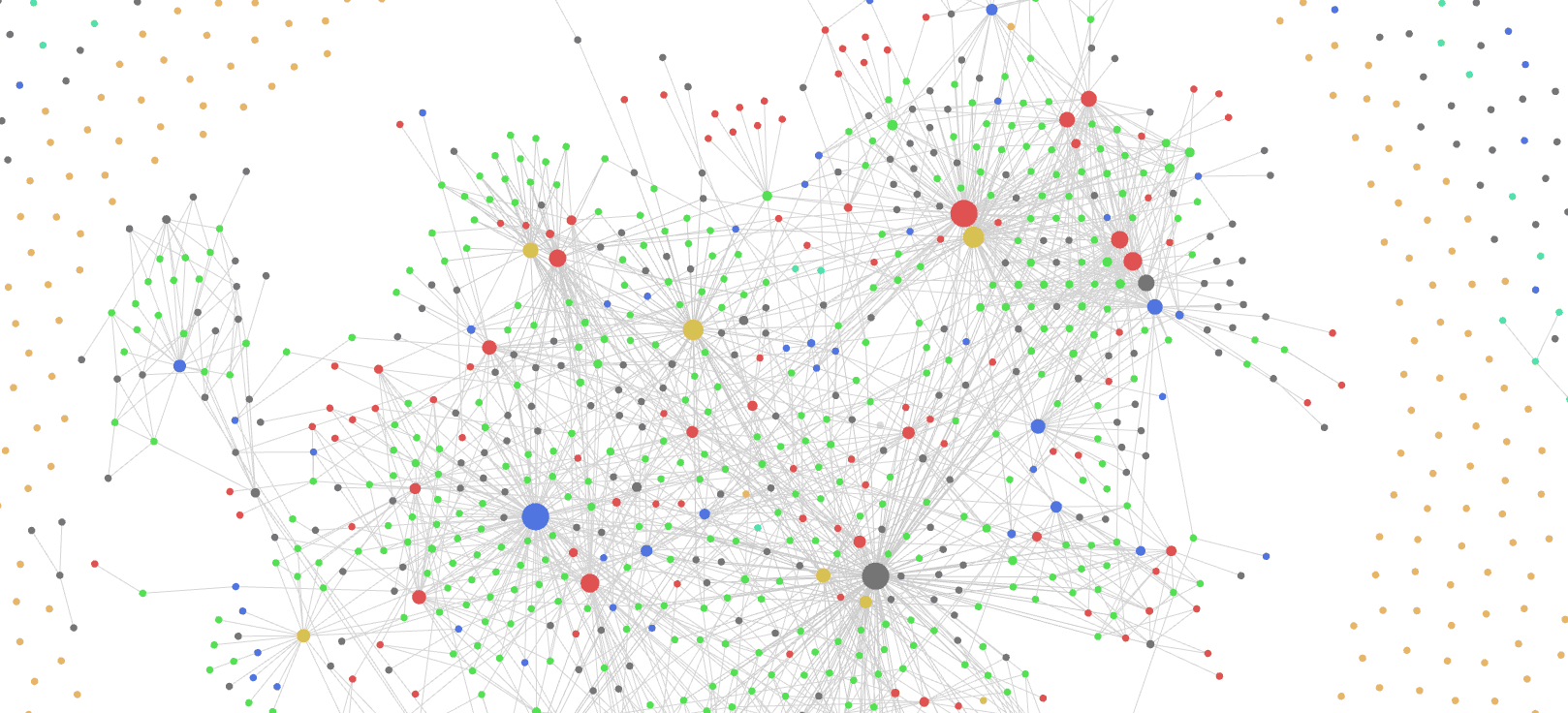
I like this view because it lets an idea live in multiple places. A file can only live in one folder. An email can only live in one folder. But if we connect information as a graph, ideas can exist in multiple places, and we can create different views. It reflects how our brain works: nodes and links rather than silos.
2. Focus on ideas, not where to put them
Many of us fall into a trap: we download the latest note-taking app, spend a weekend organising folders and structure, then a few months later something new comes along and we start again. We spend more time thinking about organisation than leveraging information to act with intention.
Note-taking should help you think, not slow you down. When I capture information, I don’t want to think about where to store it or which folder it belongs in. I want to capture it and move on without leaving my context.
The solution is simple: have an inbox. Some call it a post box, brain dump, or thinking inbox. It’s a place where you can start a new note, write down ideas, capture information, and let it live there. It doesn’t need to be organised immediately. Let the system do the organising later. Steph Ango describes a similar approach in How I use Obsidian, where he avoids folders for organisation and relies on links to create emergent structure.
3. Create context, reduce switching
This principle is about creating context: having all the information I need to act, at hand, in front of me. As I move from one project to another, from current work to planning activities, to something in my personal life, I want to switch context quickly and have all relevant information in one place.
Instead of asking “Where should I put this?” I ask “Why do I need this?” We often organise information by what it is: a receipt goes in “Receipts”, meeting notes go in “Meetings”, articles go in “Reading”. But that’s not how we retrieve it. Organising by why you need something puts the information where you’ll actually look for it.
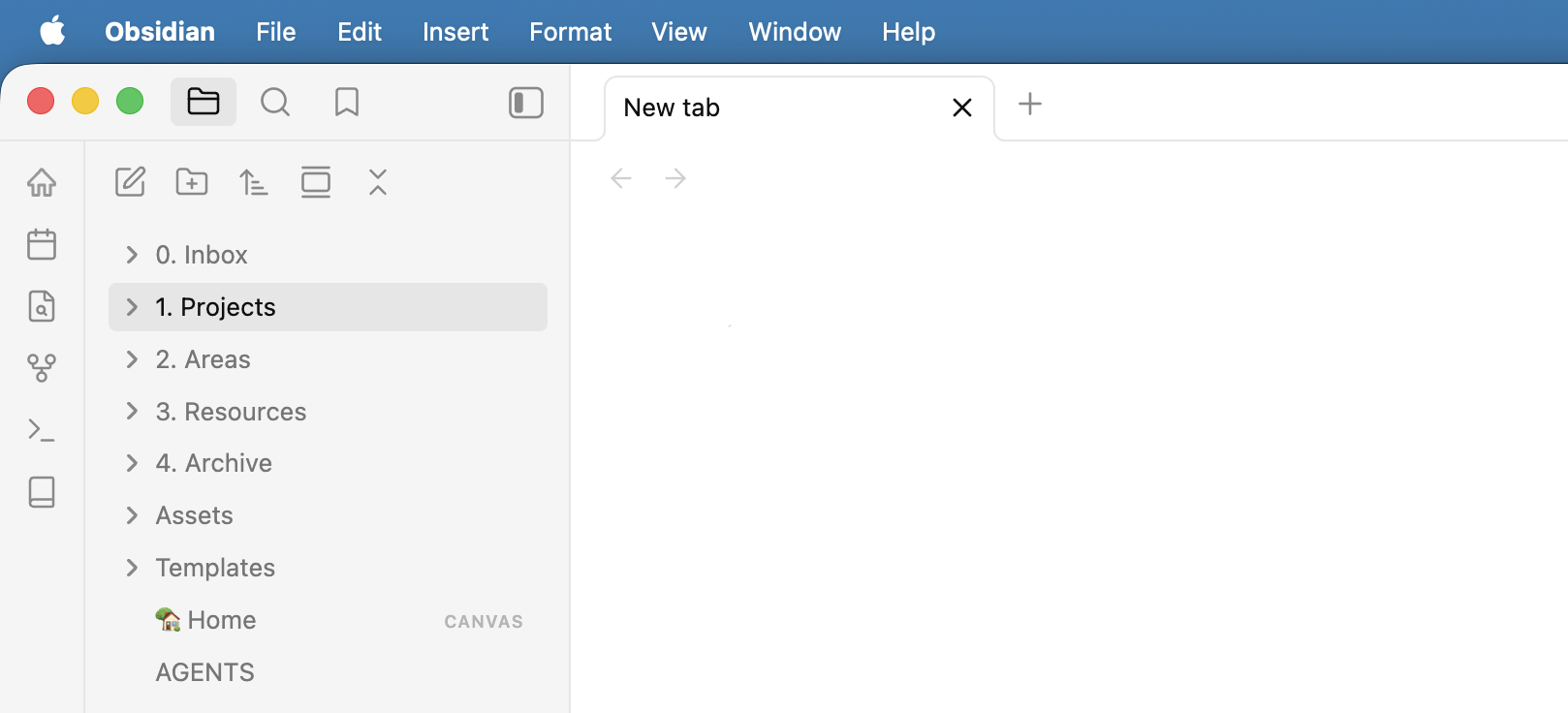
I use the PARA method by Tiago Forte to structure this:
- Projects: Short-term efforts with clear goals and deadlines. Things requiring action now.
- Areas: Ongoing responsibilities with no deadline. Diversity and inclusion, my team, career development.
- Resources: A personal wiki for useful information, material, tools, and inspiration. Things I’d happily share publicly.
- Archive: Where things go when a project concludes or an area wraps up. Not deleted, just out of the way.
4. Own your knowledge
We hear this argument in several places. Should I buy a CD or lease it from Spotify? Buy a movie or subscribe to a streaming service? Store notes in a proprietary format that locks me in and incurs huge cost if I want to move?
I’m on the side of ownership, particularly for personal ideas and capturing my knowledge. Putting them in a tool where a third party owns that information doesn’t work for me. I want to see the files on my hard drive. Tools like Notion or Microsoft Loop have proprietary formats that, if I wanted to move, would require significant investment.
Steph Ango captures this well in his essay “File over app”: if you want to create digital artifacts that last, they must be files you can control, in formats that are easy to retrieve and read. Apps are ephemeral, but your files have a chance to last.
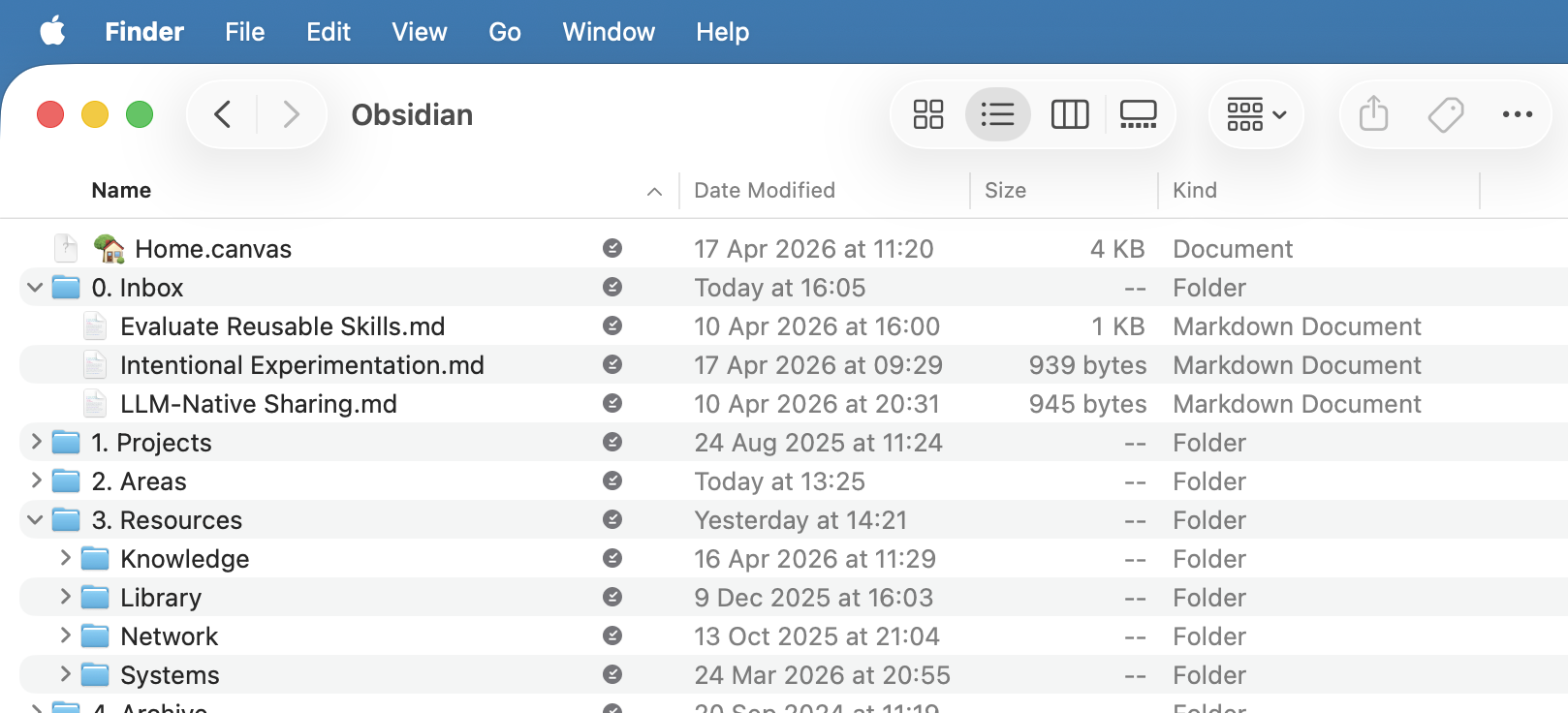
Your own knowledge should be accessible, transferable, and future-proof.
5. Automation without assimilation
With AI-powered meeting recaps and automated note-taking, it’s tempting to let the machine do the work. I immediately felt friction with this idea.
Assimilation is the process of absorbing, interpreting, and integrating information. It’s how we decide what’s important and connect newly learned information with existing knowledge. It’s how we make information our own and create our perspective.
When we take notes and capture insights ourselves, we’re not just recording. We’re processing, thinking, re-indexing. Research by Mueller and Oppenheimer found that students who took notes by hand outperformed those who typed, even when typists captured more content. The slower process of handwriting forces you to summarise and rephrase, which deepens understanding.
AI notes can support us, but they shouldn’t replace that moment of reflection. For a while I fell into the trap of having AI write meeting notes and copying them into my notes. It didn’t take long to realise I was missing my personal insight and reflection.
In many areas, efficiency is useful. But personal assimilation is essential.
Tips and Tricks
A few practical suggestions from my experience:
- Link information together. Because of this idea of connection, having a mechanism to link notes together is invaluable.
- Capture before you organise. Don’t spend more time organising than on the idea you’ve just captured. Dump it and let the system hold it.
- Write in your own words. Copy and paste is a no-go. Re-articulating notes in your own words is invaluable for retention.
- Have a moment of reflection. Capturing notes is the first step. Reflecting, going back, and revisiting is what makes them stick.
- Favour portability. Own the files. Make sure your knowledge can move with you.
- Use templates. For recurring activities like one-to-ones, standups, or customer workshops, save templates that help you stay engaged and on topic.
- Be consistent everywhere. Whatever your system, apply it across all tools. My Outlook, Teams, and note-taking app are all organised the same way: Projects, Areas, Resources, Archive.
Summary
This approach has given me increased clarity and focus. I can move more quickly around digital information and extract insights more effectively. Perhaps most importantly, I have confidence. When I’m in a meeting taking notes, I know I’ll be able to access that information later, linked and connected in a way that works for me.
An idea is powerful. A connection is incredible. Being intentional about how we capture, connect, and reflect on information is how we turn the constant stream of inputs into something we can act on with purpose.